Internal Bank Transfers (19.0)
In Odoo19, the internal transfer (bank transfer) option has been moved from the bank journal dashboard and is no longer available as a dedicated button like in earlier versions. To create an internal transfer,
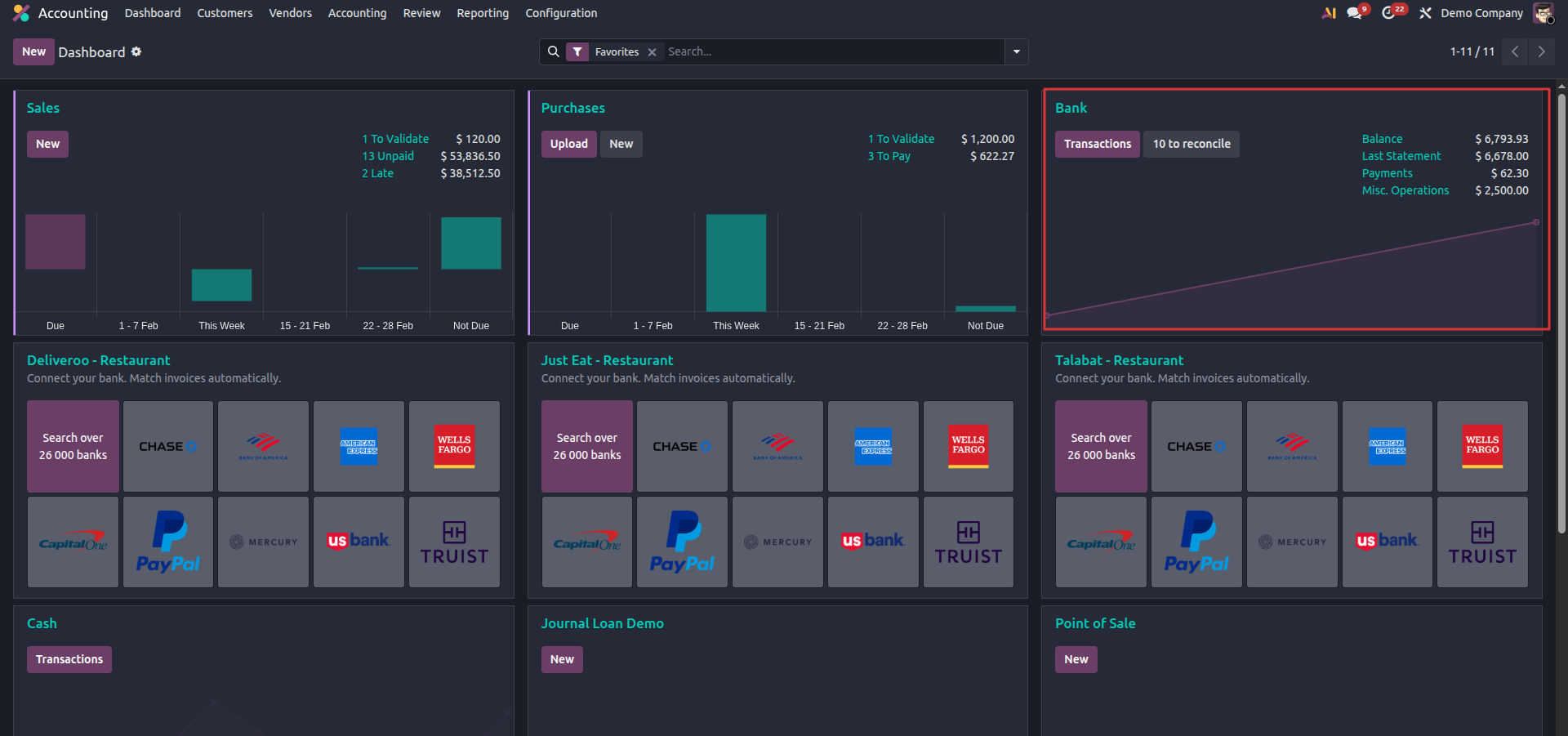
go to Accounting, open the journal, click Transactions, then use the three-dot menu on the right side of a bank statement line and select Internal Transfers.
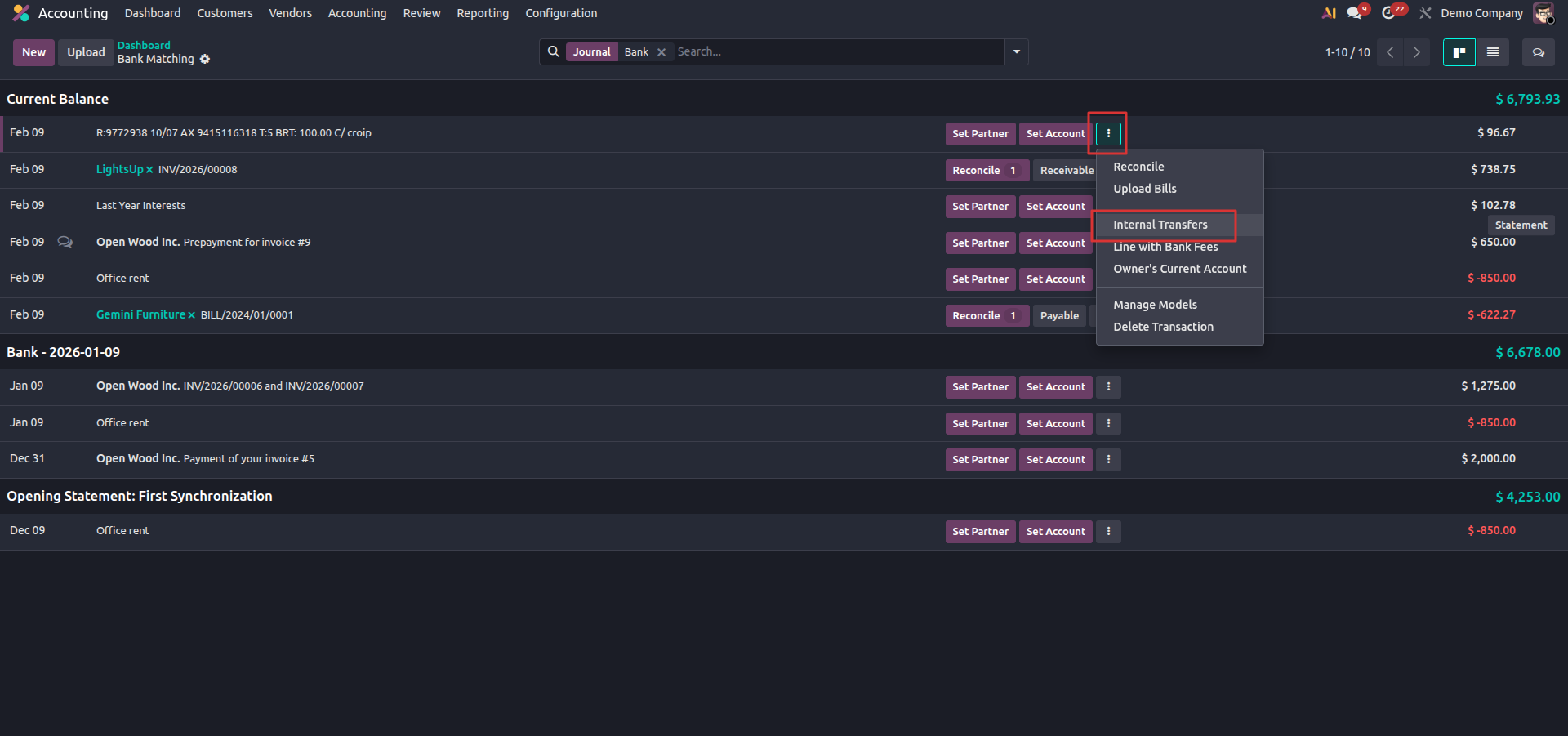
The functionality is still available; it has only been relocated to the contextual actions menu of bank transactions as part of the newer UI design.